
Immigration forms your clients fill online, in the exact current edition
Upload the edition you just downloaded from uscis.gov, or the court form no library carries. fenfill finds the fields, your client fills that exact document on their phone, and the filled PDF comes back to you. Nothing is rebuilt, and nobody retypes the answers.
6 min readUpdated


- Upload the current edition straight from uscis.gov, or a court form. Your client fills that exact document, not a rebuilt copy.
- Flat and scanned court forms work too: fenfill finds the fields, and you fix any with the magic wand.
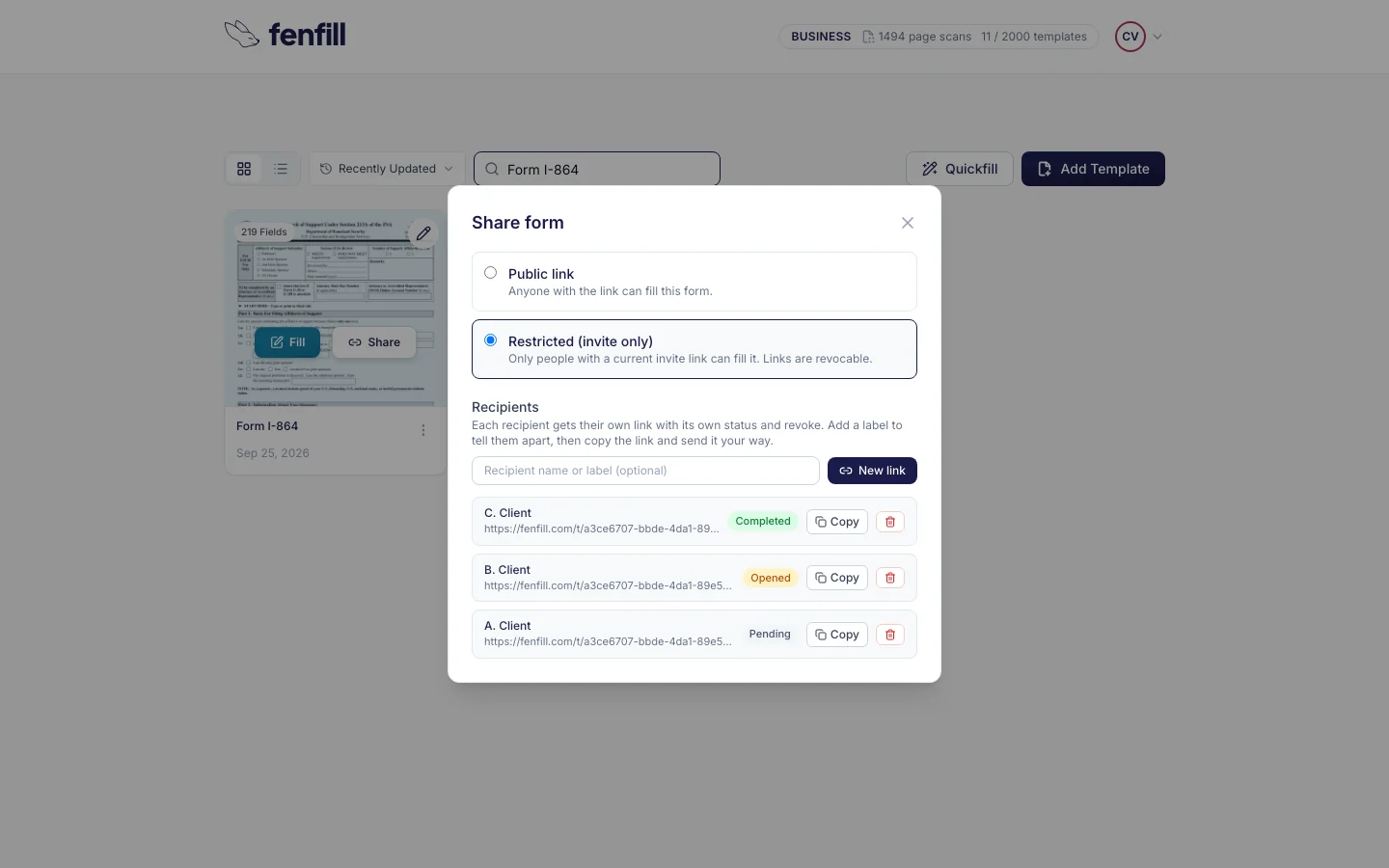
- One private link per client (Pro and up): you see who has opened the form and who has completed it.
- Your client downloads the filled, flattened PDF and sends it to you.
- What your client types never reaches our servers.
Sent back for the wrong edition, or retyped by hand
Every USCIS form page says which edition USCIS accepts. When a new one comes out, a filing on the old edition, or with pages mixed from two editions, can be rejected and sent back. For a small firm, that means a client's case waits while someone redoes a form that was already finished.
The other cost is retyping. Clients hand back a printed form filled in with a pen, or a scan of one, and someone at the firm types every answer into a clean copy. On a long form, that can take the better part of an hour, and every retyped answer is one more chance for a mistake.
Your client fills the edition you downloaded this morning, not a copy someone rebuilt last year.
The usual fixes each leave a gap. A desktop PDF editor's automatic detection misses fields on flat forms, so you end up placing them by hand. And a PDF you email often needs a desktop reader to fill, which a client on a phone doesn't have.
fenfill starts somewhere else: with the exact file you already trust. You upload the form, your client fills that same page, and the filled PDF comes back to you. No rebuilding the form, and no retyping the answers. It's built for people who collect forms from clients, and immigration and family-law practices collect a lot of them.
How it works for your firm
A template is a form you set up once: the fields found, checked and saved. You keep it and send it to every client who needs that form, matter after matter, without setting it up again.
Setting up is the only part that takes your time, and you do it once per form. After that, sending the I-864 to your next client means making them a link.
For client work, you send each person their own private link, which you can label with their name so you know whose it is. You can revoke it at any time, and you see the status of each one. A private link works for whoever holds it, so send each one only to its client. Private links come with Pro and up.
How it works
From uscis.gov to a filled PDF back
Set it up once. Send it to every client who needs it.

- 1
Upload the current edition
Download the blank form from uscis.gov or the court's site, and upload it as it is.
- 2
Check the fields, save the template
Fillable fields are read directly. On flat or scanned forms, fenfill finds them on the pages you pick. The wand fixes the rest.
- 3
Send each client their own link
They fill it on a phone or computer, download the filled PDF and send it to you. You see Completed next to their link.
There's a public link too, for a form many people fill, like a general intake sheet. Anyone who has a public link can open it, though, so for client matters use private links. You can switch a form between the two. Here's more on how private links work.
You can open and fill your own template yourself, too. That helps when a client is sitting across the desk and you'd rather type while they talk.
USCIS forms, court forms and the ones no library has
Start with the forms you prepare most: the I-130, I-485, I-765, I-864, G-28 or N-400. Download the blank edition USCIS accepts today, upload it and set it up once. Upload the blank form, not one you've started filling, because field detection sees whatever is on the pages you upload. If the PDF already has fillable fields, fenfill reads them as they are, and there's no detection to run.
When USCIS publishes a new edition, download it and make a new template from it. You can send it as soon as you've checked it. Then revoke the private links you sent for the old edition, so nobody fills it by mistake.
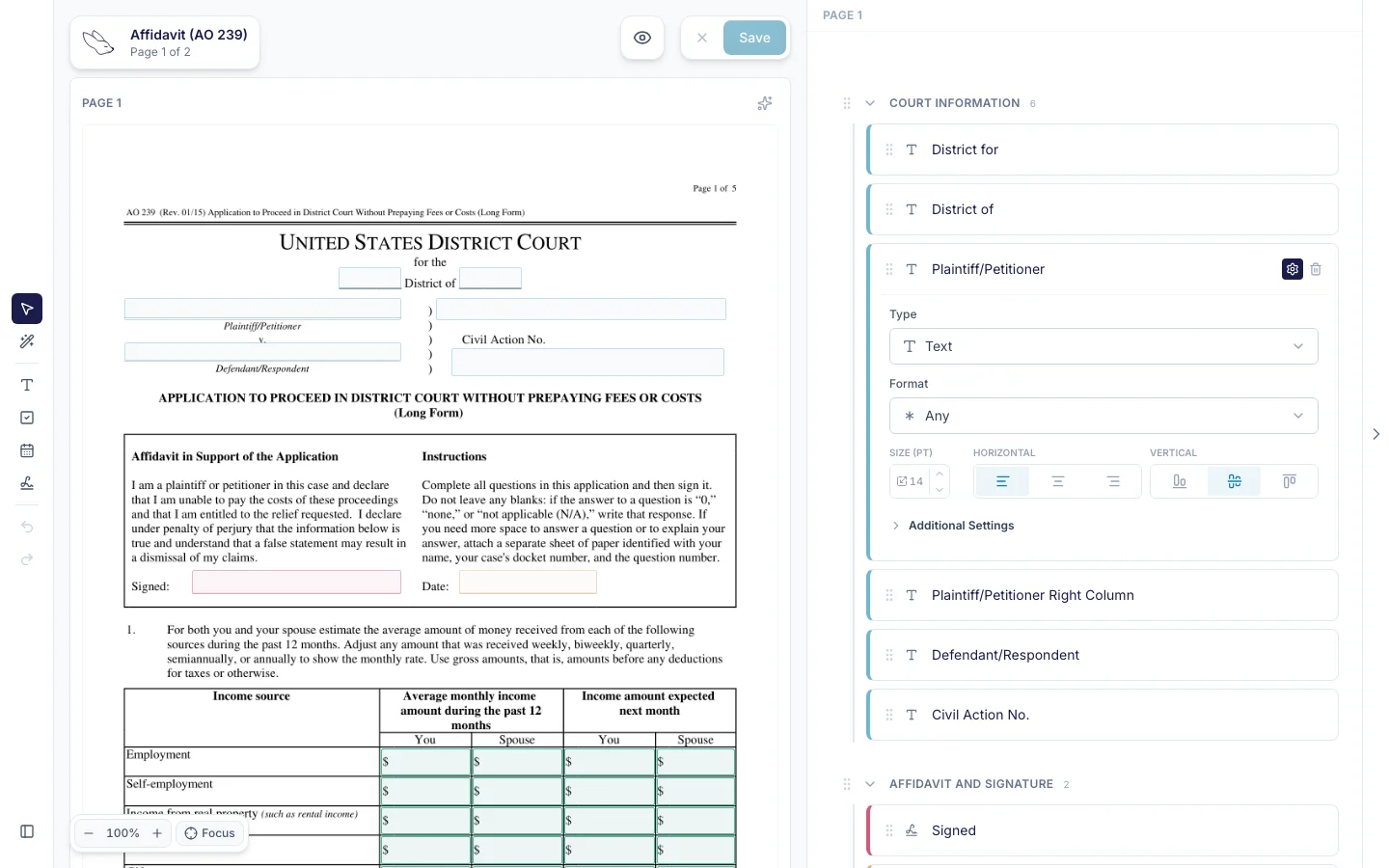
Then there are state and county court forms. Affidavits, family-law financial statements, the local forms of one courthouse: many are flat or scanned, made to be printed and filled with a pen. fenfill uses AI to find the fields on flat and scanned pages, and you fix anything it missed with the magic wand: draw a rough box and it snaps to the line. Scans and crowded pages usually need a few more fixes than a clean digital file, so check each page before you send it.
Every field gets a type that matches the page: text, including multi-line answers, checkboxes, dates, signatures, choice groups, tables, and comb boxes that hold one character each, like the boxes for an A-number. Here's how fenfill turns a PDF into a template.
What your client sees on their phone
Your client opens the link in their phone's browser. There's no app to install and no account to create, and nobody has to explain which PDF reader to use.
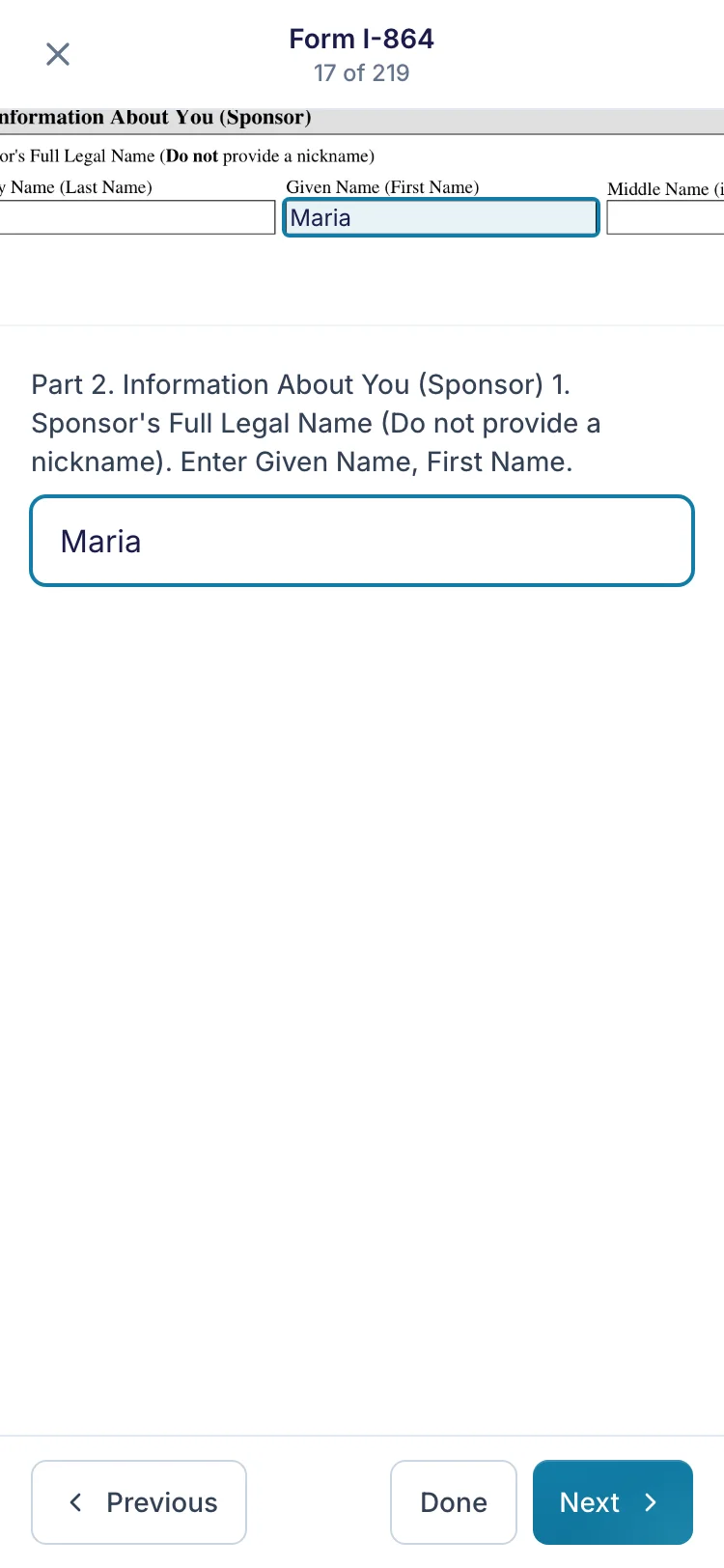
On a phone the form opens one section at a time, with the original page one tap away. They tap a field and type, without zooming all the way out to find the box and pinching back in to read it. Checkboxes and dates work the same way, and every answer lands on the page you uploaded.
If they close the tab halfway through, their answers are saved on their own device, encrypted, until they download the filled form or for 30 days of inactivity. They can pick it up again later on that device.
That also means a client can fill the form wherever they are, at the kitchen table or on a lunch break, without a trip to your office or a borrowed computer.
When the form needs a signature, they draw it, type it or upload an image of it. There's more on filling forms on a phone.
What comes back, and what fenfill doesn't do
When your client finishes, they download the filled PDF: the same document you uploaded, with their answers stamped on and flattened. They send it to you by email, or however they usually send you files, and in fenfill you see Completed next to the link you labeled with their name.
Flattened means the answers are part of the page, not editable fields sitting on top of it. That's the kind of file many courts and portals ask for, and it's ready for your review before you file it.
fenfill never stores the filled PDF. It goes from your client to you, the same way a form they'd printed and scanned would.
fenfill does one job: your exact form, filled by your client and back with you. It isn't case-management software, and it doesn't turn one questionnaire into many forms: each form is its own template, filled on its own page. It doesn't file anything with USCIS, a court or anyone else. Filing stays with you.
Two more limits are worth knowing. Your client can't attach files through fenfill, because there's no upload field, so supporting documents still reach you the way they do today. And fenfill isn't built for Form I-9.
The same setup works beyond immigration and court forms, for engagement letters and intake sheets too.
Privacy for your clients' information
An immigration file holds the most personal details a client has: dates of birth, addresses, family history, status. You owe them confidentiality, and every form emailed back and forth is one more copy sitting in an inbox. The fewer copies there are, the fewer there are to lose.
That isn't a setting you have to find. Filling and stamping run in your client's browser on every form, and an automated test checks on every change we ship that answers have no path to our servers.
The blank form you upload is encrypted in your browser before upload, with a new key for each file. Your documents are stored in the EU, in Stockholm, and processed in Helsinki. The security page covers the exceptions, like payments, field detection and the network that delivers the site.
You sign in with your Google or Microsoft account, so fenfill has no password of yours to store. For the full picture, read how fenfill handles your data.